 Novel editor
Write the prosekaampi Write holds the truth
The model proposes. You decide. Turn the model on for a drafting partner, or leave it off entirely. Either way, the Story Bible, the workflow, and the editor underneath stay the same real tool.
Runs entirely on your own computer — and when you do use AI, it's your own local model. Free and open source under GPL 3.
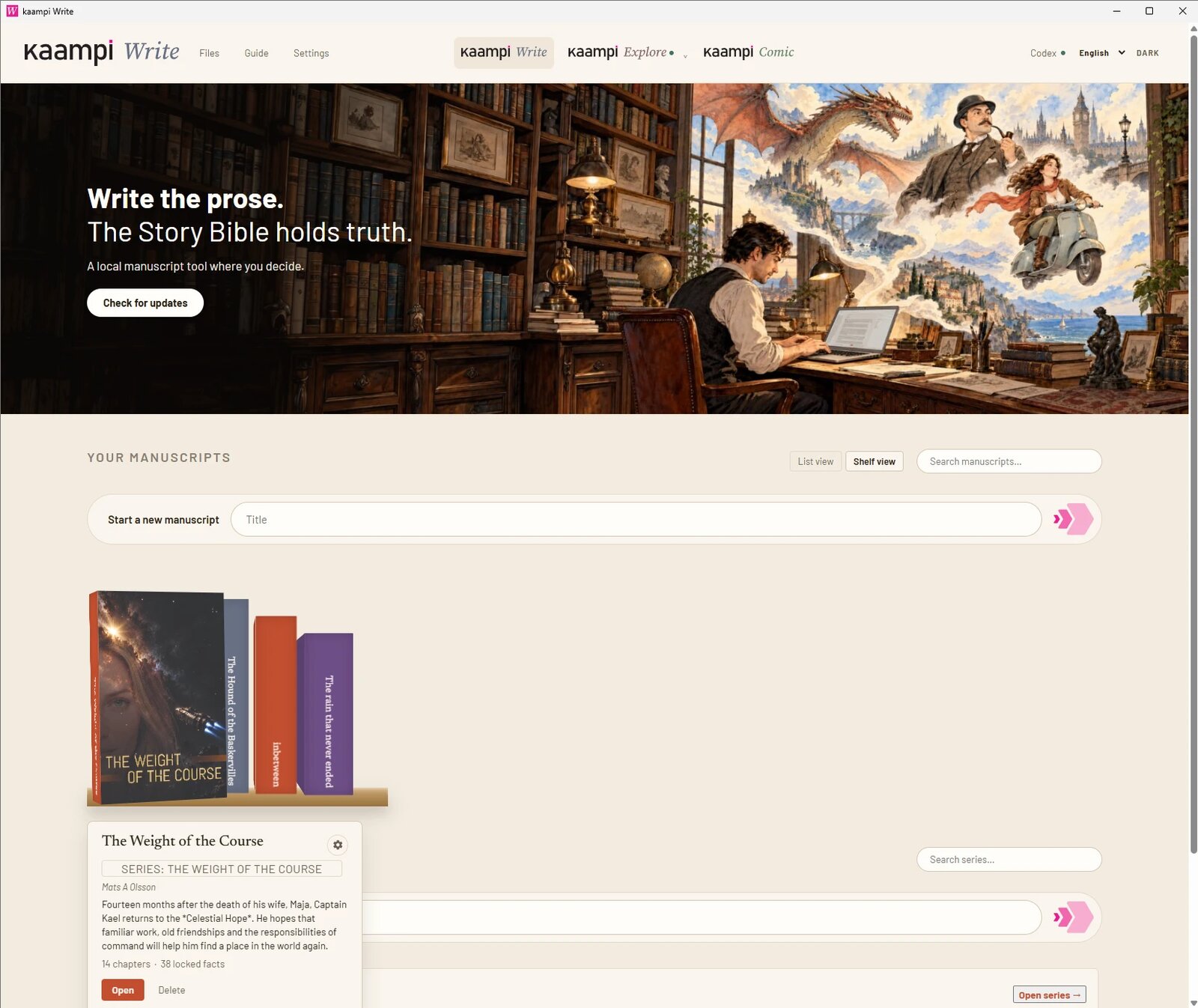
Your manuscripts on a shelf, with kaampi Explore and kaampi Comic one click away.
kaampi Write is a complete novel editor that happens to do AI well — not an AI wrapper that happens to edit text.
— the whole point of kaampi WriteThree pillars
One Story Bible for a whole series
Add a character, place, or rule yourself and lock it. No AI involved in creating or reading your canon — only in optionally proposing additions to it.
The character who died in book one stays dead in book four. You never re-enter a fact the series has already settled.
A real editor, built for real manuscripts
- True WYSIWYG — bold, italic, block quotes, and drop caps render live as you type. No separate preview, no asterisks left on the page.
- Typeset scene breaks — a plain rule, a classic vignette ❦, a minimalist diamond ❖, a French fleur ⚜, or a glimmer ✦ — chosen once, carried through every chapter and into your exported book.
- Professional export — styled, editable IDML for InDesign and Affinity Publisher, with chapters arriving as real paragraph styles. Plus RTF, ODT, and print-ready PDF.
AI when you want it. Never when you don't.
One setting in Settings disables AI completely. The editor, the Story Bible, outlining, and export keep working exactly as before — nothing in kaampi Write depends on a model running.
And when AI is on, it talks to Ollama or llama.cpp on the machine in front of you. No account, no cloud call, no manuscript leaving your disk — in either mode.
From a loose ideato a finished book — in one tool
Most writing apps give you an empty page. kaampi Write gives you the stages that come before it, too — but none of them are required. Skip straight to the Editor and start typing, or use only the stages that fit how you actually work.
Brainstorm
Throw out ideas before anything is canon — premises, characters, threads worth keeping or dropping.
Synopsis
Turn the brainstorm into the plan of an actual book: what happens, in what order, and why.
Chapter briefs
Break the synopsis into a beat sheet per chapter — the plan you'll actually draft against.
Timeline
Lay every brief against a timeline, so two chapters never quietly happen on the same Tuesday.
Editor
Draft, revise, and lock what's true — then Publish exports the finished manuscript, styled and ready for InDesign or Affinity Publisher.
Inside the EditorHow a chapter gets written
A loop you can follow loosely, not a sequence you're locked into. Jump straight to drafting, skip the brief, or work the steps in whatever order a given chapter actually needs.
Brief the chapter
Write a short beat sheet, or let the AI propose one from your synopsis and timeline.
Draft, or ask for one beat
Fill the whole chapter, extend from where you stopped, or drop a single event at your cursor.
Precision tools
Highlight a phrase to extend a thought, elaborate on details, or generate an illustration prompt. When a line is great but doesn't fit, Cut to Darlings keeps it in your cut-file so you never lose it.
Lock what's true
Accept a new character, place, or fact into the Story Bible — or leave it loose a while longer.
Analyze, then polish
Strip away AI writing habits and clichés with a ruthless literary editor profile, and catch continuity slips before you call it done.
One Story BibleEvery book. Every language.
This is the part most editors don't even attempt: a series isn't four separate files that happen to share character names.
A series shares one canon
Add book two, three, or four to a series and each one reads from the same Story Bible. Continuity holds across the whole series — from any book, search everything that's already true.
Every book can carry its own language version
Translate a manuscript into a new language while it keeps pointing at the same locked facts, so a translated edition of book four can't contradict the original book one.
Facts propagate forward, not sideways
Lock a fact while drafting book three and it's immediately available to book four. Books one and two stay exactly as you left them, untouched by what you learn later.
A character's lie doesn't become a fact
If something is only ever claimed in dialogue, a letter, or a thought — and nothing in the narration independently backs it up — the Story Bible holds it as unconfirmed, attributed to whoever said it. Only what the narration itself asserts, or what more than one independent character or event bears out, counts as settled.
Interview your storyto find out what it already knows
Sometimes the fastest way to find a plot hole — or a character's real motive — is to just ask.
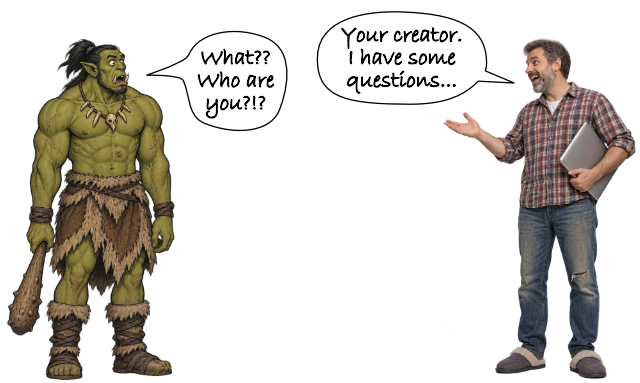
Interview the manuscript
Ask your own manuscript direct questions about what's already on the page. It answers from what you've actually written, surfacing contradictions and gaps you'd otherwise only catch on a fourth read-through.
Interview a character
Question a single character directly, in their own voice, grounded in everything locked about them so far. What comes out of the conversation can become a new, lockable truth about your world — not just a chat you throw away.
Who it's for
Built for people writing something long enough that memory alone stops being enough.
Novelists mid-draft
You already know your world. You want a tool that drafts alongside you without quietly rewriting it — or no AI at all, if that's what you'd rather have.
Series and translated-edition writers
Book four needs to remember book one, and a translated edition can't drift from the original. One Story Bible per series, shared across every book and every language version.
People who want their data local
No account, no upload. Your manuscript and your model — if you use one at all — both stay on the machine in front of you. The app itself is open source under GPL 3: no lock-in, no black box — you can keep writing even if we stop existing.
Free forever.Supported by writers
kaampi Write is free, open source under GPL 3, and completely independent — no subscriptions, no venture capital, and no telemetry. If it saves you hours of work or helps you shape your series, you are warmly welcome to support continued development.
Questions people ask first
Do I have to brainstorm, synopsize, and brief before I can write?
No. Those stages are there if you want structure — jump straight into the Editor and start typing whenever you'd rather just write.
Do I have to use AI at all?
No. Turn it off in Settings and kaampi Write keeps working as a full novel editor with a real Story Bible. AI only ever adds a drafting partner on top — it isn't the foundation underneath.
Does it need an internet connection?
No. When you do use AI, kaampi Write talks to a local model through Ollama or llama.cpp on your own machine. Nothing about your manuscript leaves it.
What happens when the model gets a fact wrong?
It only ever proposes. A suggestion that contradicts your locked Story Bible is flagged, not silently accepted. You're the one who decides what's canon.
What if a character lies, or two characters disagree?
It's held as unconfirmed, attributed to whoever claimed it — not promoted to a settled fact. Only what the narration itself asserts, or what more than one independent character or event corroborates, is treated as true.
How do a series and its translations share one Story Bible?
Every book in a series reads from that series' shared Story Bible, and a language version still points at the same locked facts as the original — so continuity holds across books and translations alike.
Is interviewing my manuscript the same as kaampi Explore?
No. The interview inside Write runs against your actual locked manuscript and characters as they stand today. kaampi Explore is the open sandbox for ideas that aren't canon yet — the two sit on either side of that same line.
Can I get my book out of it?
Yes — and not just to Word. Publish exports your manuscript as styled, editable IDML: open it directly in Adobe InDesign or Affinity Publisher and your chapters arrive as real paragraph styles, ready for you or a designer to lay out page-by-page. That's a different league from a DOCX when you're taking your book to print. You also get RTF, ODT, and print-ready PDF.
Is kaampi Write open source?
Yes — GPL 3. You can inspect how your manuscript is handled, and your work never lives at the mercy of a closed app.
How much does it cost?
Nothing. kaampi Write is free, open-source software — download it, use it, keep it. No subscription, no upsell later, and your novels never depend on a paid plan to open. If you find it valuable, you are welcome to buy a coffee to help keep development going.
Do I need kaampi Explore or Comic to use it?
No. kaampi Write stands on its own. The other apps are there if and when you want them.